Imagine your phone rings. The caller says she is from your bank’s fraud department. She knows your name, the last four digits of your card and the city where you shop. She sounds calm, professional and slightly worried. Someone is trying to drain your account, she says, and you need to act right now to stop it.
You are not being hacked in the movie sense. No one is typing furiously through your firewall. Instead, someone is hacking you: your trust, your fear, your wish to be helpful and your reluctance to look foolish.
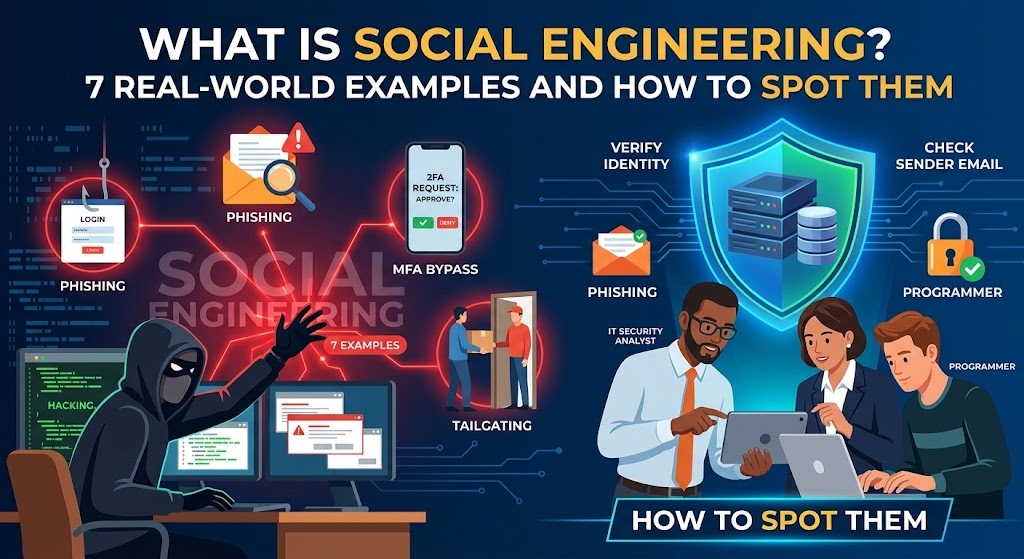
That is social engineering, and it is the foundation of most modern cyberattacks. This guide answers the question what is social engineering, explains how social engineering attacks work, walks through the main techniques, and breaks down seven real-world social engineering examples that show how even large, well-defended organizations were fooled. You will also learn the warning signs and the practical habits that protect you.
Social engineering is the use of psychological manipulation to trick people into giving up confidential information, granting access, sending money or taking an action that harms their own security. Instead of breaking through technical defenses, the attacker persuades a human to open the door.
Social engineering attacks usually exploit trust, authority, urgency, fear, curiosity and helpfulness. Common forms include phishing emails, phone scams (vishing), text message scams (smishing), pretexting, baiting, tailgating and impersonation of executives or IT staff. The best defense is a habit of pausing and verifying through an independent channel before acting on any unexpected request.
A social engineer might:
- Persuade an employee to reveal a password
- Convince a help desk to reset someone’s credentials
- Trick an accountant into paying a fake invoice
- Get a visitor into a secure building by looking like they belong
- Lure a user into installing malware by disguising it as something useful
In each case, the weak point is a decision made by a person. Firewalls and antivirus software cannot easily stop an employee who willingly hands over the keys because someone sounded convincing.
The approach is attractive to criminals for simple reasons. It is cheap, scalable and requires little technical skill. Patching a server is difficult, but persuading a tired employee at 4:45 p.m. on a Friday can take a two-minute phone call. Security researchers regularly find that a large share of breaches involve a human element, such as phishing, stolen credentials or simple error.
Social engineers use well-documented principles of influence. Understanding them makes manipulation easier to recognize.
Authority. People tend to obey those who appear to be in charge, such as a CEO, a police officer, a tax agency or an IT administrator. Attackers impersonate these roles to discourage questions.
Urgency and scarcity. “Act now or lose your account” shrinks the time you have to think. Panic pushes people toward quick, unverified action.
Fear. Threats of fines, arrests, account closures, security breaches or job consequences trigger an emotional reaction that overrides caution.
Trust and liking. We help people we like and who seem familiar. Attackers build rapport, mimic a colleague’s tone or refer to genuine details to appear legitimate.
Reciprocity. If someone does you a favor, you feel obliged to return it. A fake support agent who “fixes” a problem is then trusted with remote access.
Social proof. “Everyone in your department has already completed this” makes a request feel normal.
Curiosity and greed. A USB drive labeled “Salaries 2026,” a shipping notification you did not expect or a prize you never entered all invite a click.
Helpfulness. Most employees want to be useful. A friendly caller who asks for “just a quick favor” exploits that instinct, especially against help desk and reception staff.
Fatigue and distraction. People make worse decisions when busy, stressed or multitasking. Attackers time their messages for end of day, end of quarter, holidays or crises.
Most attacks follow a pattern, whether they hit an individual or a company.
1. Research
The attacker gathers information from LinkedIn, company websites, social media, press releases, data breaches and public records. This reveals names, titles, reporting lines, vendors, travel plans and writing style. The more personal the details, the more convincing the pretext.
2. Building the pretext
They choose a believable identity and story: the new employee who cannot log in, the vendor with a changed bank account, the auditor, the courier or the manager who is traveling and needs a favor.
3. Making contact
They reach the target by email, phone, text, social media, a fake website, a USB drive or even in person. Often they use more than one channel to add credibility, such as an email followed by a phone call.
4. Creating pressure
They add a deadline, a threat, a reward or a request for secrecy. The aim is to keep the victim from checking with anyone else.
5. The ask
The victim is asked to click a link, enter a password, share a one-time code, approve a login prompt, install software, wire money or hold a door open.
6. Exploitation and cover-up
The attacker uses the access or money, and often tries to delay discovery by deleting emails, creating hidden mailbox rules or asking the victim to stay quiet.
Phishing
Phishing is a fraudulent message, usually email, that imitates a trusted organization to steal credentials, deliver malware or prompt a payment. Typical lures include password expiry notices, delivery problems, invoices, tax refunds and shared document alerts. Mass phishing is generic. Targeted forms are far more dangerous.
Spear phishing and whaling
Spear phishing tailors the message to a specific person using personal or company details. Whaling targets senior executives, whose accounts hold greater power and whose time pressure makes mistakes more likely.
Business email compromise (BEC)
In BEC, the attacker impersonates an executive, vendor or lawyer, or takes over their real mailbox, to redirect payments or request sensitive data. It is one of the costliest forms of cybercrime reported to law enforcement.
Vishing (voice phishing)
Vishing uses phone calls. Callers pose as banks, government agencies, tech support or colleagues. Caller ID can be spoofed, so a familiar number does not prove anything. Voice cloning powered by artificial intelligence has made the technique more convincing.
Smishing (SMS phishing)
Smishing uses text messages, often about parcels, toll charges, bank alerts or account verification. Short messages and mobile screens make suspicious links harder to inspect.
Pretexting
The attacker invents a detailed scenario to extract information, such as pretending to be an auditor, a new hire or a security officer. Pretexting often underlies help desk fraud.
Baiting
Baiting offers something tempting, such as a free download, a prize or an infected USB drive left in a parking lot or lobby, hoping curiosity beats caution.
Quid pro quo
The attacker offers a service in exchange for information or access, for example calling employees pretending to be IT support and “fixing” a problem while asking for credentials.
Tailgating and piggybacking
An unauthorized person follows an employee through a secured door, often while carrying boxes, wearing a vest or acting as if they are in a rush. Most people feel rude refusing to hold a door.
Watering hole and fake websites
Attackers compromise or imitate a site their targets regularly visit, or create a lookalike login page, so the victim hands over credentials willingly.
MFA fatigue (push bombing)
After stealing a password, the attacker repeatedly triggers login approval prompts until the exhausted or confused user taps “Approve.” Sometimes they call, pretending to be IT, and say the prompts are a glitch.
Deepfakes and AI-assisted impersonation
Criminals now use cloned voices and synthetic video to impersonate executives and relatives. Combined with convincing AI-written messages, these attacks remove many of the typos and awkward phrases that once gave scams away.
Seven Real-World Social Engineering Examples
These cases are drawn from public reporting, court records and company statements. They show the same human weaknesses appearing again and again.
Example 1: The 2020 Twitter hack (vishing and pretexting)
In July 2020, high-profile Twitter accounts, including those of well-known business leaders and politicians, posted a message promising to double any Bitcoin sent to an address. The attackers had not broken Twitter’s encryption. Investigators said they phoned Twitter employees, posed as internal IT staff and persuaded them to enter credentials on a fake login page. That gave the attackers access to internal administrative tools used to take over accounts.
The scam raised only a modest amount of cryptocurrency, but the access it exposed alarmed regulators and users. A teenager was among those charged, and the case became a textbook example of how a phone call can defeat sophisticated infrastructure.
Lesson: Staff with powerful internal tools are high-value targets. Verify internal requests through a separate channel, and limit what any one employee can do alone.
Example 2: Fake invoices at Google and Facebook (impersonation and invoice fraud)
Between about 2013 and 2015, a man impersonated a real Asian hardware supplier and sent invoices, contracts and letters to employees at Google and Facebook. They paid. Together the two companies transferred over $100 million to accounts controlled by the fraudster before the scheme was detected. Much of the money was later recovered, and the perpetrator was convicted.
The documents looked professional, the supplier was real and the companies did routinely buy from similar vendors. Nothing about the email looked technical or suspicious.
Lesson: Even sophisticated companies can be defrauded by a convincing invoice. Match invoices to purchase orders, confirm bank detail changes by phone and require independent approval of payments.
Example 3: The RSA breach (spear phishing)
In 2011, the security company RSA disclosed that attackers had breached its network. The entry point was a targeted phishing campaign. A small group of employees received emails with an attached spreadsheet titled as a recruitment plan. When opened, it exploited a software vulnerability and installed a remote access tool.
The breach led to the theft of information related to RSA’s SecurID authentication products, and the company later offered to replace tokens for customers. A security firm had been undone by an email that seemed like an ordinary piece of HR paperwork.
Lesson: Targeted lures are crafted to look boring and relevant. Keep software patched, restrict attachments from unknown senders and train staff that a plausible subject line proves nothing.
Example 4: Target’s breach through a vendor (third-party compromise)
In 2013, the U.S. retailer Target suffered one of the best-known retail data breaches, affecting roughly 40 million payment cards and information on many more customers. Public reporting indicated that the attackers first stole network credentials from a refrigeration and HVAC contractor that served Target stores, reportedly through a phishing email to the vendor. They then used those credentials to move into Target’s environment.
No one at Target had been tricked directly. A supplier’s employee was, and that was enough.
Lesson: Your security includes your suppliers. Limit vendor access to what is strictly necessary, require MFA for third parties and segment the networks they can reach.
Example 5: The MGM Resorts attack (help desk impersonation)
In September 2023, MGM Resorts suffered a major cyberattack that disrupted hotel systems, slot machines, reservations and digital room keys for days. Public reporting attributed it to a group commonly known as Scattered Spider, whose members were reported to have researched an employee on LinkedIn and called the IT help desk pretending to be that person. According to those reports, the help desk was talked into providing access, and the attackers then escalated their privileges and deployed ransomware. MGM later said the incident had a significant financial impact.
A multibillion-dollar company with extensive security spending was disrupted because someone sounded convincing on the phone.
Lesson: Help desks need strict identity verification procedures that do not rely on information found on social media, plus extra approval for password and MFA resets, especially for privileged accounts.
Example 6: The Arup deepfake video call (AI impersonation)
In early 2024, reports revealed that an employee at the engineering firm Arup’s Hong Kong office was tricked into transferring about HK$200 million, roughly US$25 million, after joining a video call. The employee had first received a suspicious message that appeared to come from the company’s chief financial officer, then joined a call in which the participants looked and sounded like senior colleagues. They were reportedly deepfakes. Arup later confirmed it had been the target of a fraud involving fake voices and images.
Until recently, “let’s hop on a video call” was an effective way to verify identity. This case shows that seeing and hearing someone is no longer enough.
Lesson: Verify high-value payment requests through established procedures, not through a call or message the requester initiates. Use pre-agreed code words or callbacks to known numbers, and require multiple approvals regardless of who appears on screen.
Example 7: The dropped USB experiment (baiting)
In a well-known 2016 study by researchers at the University of Illinois, with collaborators from the University of Michigan and Google, around 300 USB drives were scattered around a university campus. Nearly all were picked up, and in a large share of cases, roughly half or more of those picked up, people plugged the drives into a computer and opened files. Some drives had labels that made them appear to belong to someone or contain something interesting.
The experiment used harmless files, but it showed how easily curiosity and kindness, such as trying to find an owner, can lead people to run unknown media.
Lesson: Never plug in found devices. Disable autorun, block unapproved USB storage on company machines and give people a safe way to hand over strays to IT.
What these examples have in common
- The attackers asked a person to do something, rather than breaking technology.
- Pressure, authority, familiarity or curiosity was used to bypass normal checks.
- A single verification step, such as calling a known number, could have stopped most of them.
- The victims were not careless fools. Many were skilled professionals in well-resourced organizations.
Red Flags That Signal Manipulation
No single sign proves an attack, but several together should make you stop.
- Urgency or a deadline: “Immediately,” “within the hour,” “before the end of day.”
- Threats or dramatic consequences: account closure, legal action, arrest, job loss.
- Requests for secrecy: “Don’t tell anyone about this.”
- An unexpected request from someone you do not usually hear from, or an unusual request from someone you do.
- Requests for sensitive information: passwords, verification codes, PINs, personal data.
- Unusual payment methods: gift cards, cryptocurrency, wire transfers to new accounts.
- Mismatched details: sender addresses that are slightly off, links that lead elsewhere, a name that does not match the number or email.
- Too good to be true: prizes, easy refunds, unexpected job offers or bargains.
- Pressure to bypass the normal process: skipping approvals or avoiding the usual contact person.
- Emotional manipulation: appeals to sympathy, fear, flattery or guilt.
- Reluctance to be verified: the caller insists you stay on the line, avoids giving a callback number or objects to you checking.
The central skill is simple: slow down and verify independently.
- Pause when you feel pressure. Treat urgency itself as a warning sign. A legitimate request can survive a five-minute check.
- Verify through a different channel. If an email asks for money or credentials, call the person using a number you already know. If a caller claims to be from your bank, hang up and dial the number on your card.
- Never share one-time codes or approve unexpected login prompts. No genuine employee or company will ask for your verification code. If you get repeated MFA prompts you did not trigger, deny them and report it.
- Do not trust caller ID or display names. Both can be faked.
- Type addresses yourself. Instead of clicking links in messages, use bookmarks or type the website address.
- Use a password manager. It fills credentials only on real sites, which helps expose lookalike pages.
- Turn on multi-factor authentication, ideally with an authenticator app or security key, on every important account.
- Limit what you share online. Details about your job, travel, family and colleagues help attackers write convincing stories.
- Be careful with attachments and downloads, especially unexpected ones. Open documents only if you can confirm the sender is genuine.
- Keep software and devices updated, so a mistake is less likely to become a compromise.
- Do not plug in unknown USB drives or connect to unfamiliar devices.
- Challenge unfamiliar people politely in secure areas. Ask who they are visiting, and escort them to reception if unsure.
- Agree a family or team code word for emergency requests for money, as protection against cloned voices.
- Report suspicious messages, even if you did nothing. Reports help others avoid the same trap.
Technology helps, but culture and process do most of the work.
Build verification into the process
- Require callbacks to known numbers for bank detail changes and unusual payments
- Use two-person approval for payments and for sensitive account changes
- Give the help desk a strict identity verification script, with extra checks for password and MFA resets
- Make “I need to verify this first” an accepted, even praised, response
Strengthen technical controls
- Enforce multi-factor authentication, preferably phishing-resistant methods such as passkeys and hardware keys
- Configure SPF, DKIM and DMARC to reduce spoofing of your domain
- Filter email for malicious links, attachments and impersonation attempts
- Limit administrator rights and apply least privilege
- Restrict USB use and block risky file types
- Monitor for unusual logins, mailbox rules and mass MFA prompts
Train people properly
- Provide regular, short, realistic training rather than one annual lecture
- Cover phishing, vishing, smishing, impersonation, deepfakes and tailgating
- Run simulations and use results to teach, not shame
- Give staff an easy way to report suspicious activity, and thank them when they do
- Train executives, assistants, finance, HR and help desk staff in particular, because they are prime targets
Control physical access
- Require badges and visitor sign-in
- Escort visitors
- Teach staff that it is acceptable to challenge strangers
- Secure waste disposal for paper containing sensitive information
Prepare for incidents
- Have a clear process for reporting and responding to suspected social engineering
- Know who to contact at your bank, IT provider and insurer
- Practice the plan with tabletop exercises
What to Do If You Were Tricked
Anyone can be fooled, and attackers are professionals. Speed and honesty matter more than embarrassment.
- Stop engaging. Do not reply, click again or send more information.
- Disconnect if you installed something. Take the device off the network and contact your IT team.
- Change passwords for any account you may have exposed, from a clean device, and enable MFA.
- Call your bank immediately if you sent money or shared financial details. Fast action may allow a transfer to be recalled or frozen.
- Report it inside your organization straight away. Early reporting can stop an attack from spreading.
- Report to authorities. In the United States, use ic3.gov or reportfraud.ftc.gov. Other countries have national fraud and cybercrime reporting centers.
- Watch your accounts and credit. Consider a credit freeze if personal identity information was exposed.
- Warn others who may be targeted, such as colleagues, family or customers.
- Learn from it. Look at what made the scam believable and adjust your habits.
Frequently Asked Questions
What is social engineering in simple terms?
It is tricking people, rather than hacking machines, to get information, access or money. The attacker uses persuasion, deception and pressure to make someone do something they would not normally do.
What are the most common social engineering attacks?
Phishing is the most common, followed by business email compromise, vishing, smishing and pretexting. Baiting, tailgating and MFA fatigue attacks also occur frequently.
What is the difference between phishing and social engineering?
Phishing is one technique within social engineering. Social engineering is the broader category covering any manipulation of people, whether by email, phone, text, in person or other means.
Why is social engineering so effective?
It exploits normal human traits such as trust, helpfulness, fear and respect for authority. It also costs attackers little and bypasses technical defenses entirely.
Can antivirus or a firewall stop social engineering?
Not completely. They can block some malicious links and attachments, but they cannot stop you from willingly giving a password to a convincing caller or sending money to a fake supplier. Technology and training have to work together.
How can I tell if a call or email is a scam?
Look for urgency, threats, secrecy, unexpected requests, unusual payment methods and small mismatches in addresses or links. When in doubt, contact the supposed sender through a number or website you already trust.
Are deepfakes a real social engineering threat?
Yes. Cloned voices and fake video have been used in documented fraud cases, including a widely reported 2024 case in Hong Kong. Use callbacks and agreed verification steps for large or unusual requests, even when the person appears to be on video.
Who is most at risk?
Anyone can be targeted, but finance teams, executives and their assistants, HR staff, help desk workers and new employees are especially popular targets because of their access or willingness to help. Individuals who are lonely, stressed, older or unfamiliar with technology are also frequently targeted, particularly by romance, tech support and impersonation scams.
Is social engineering illegal?
Using deception to obtain money, data or access without authorization is illegal in most countries under fraud, computer misuse and identity theft laws. Authorized social engineering tests, performed by security professionals with written permission, are a legitimate part of security assessments.
How often should staff receive social engineering training?
Onboarding training for new staff plus regular refreshers, such as short monthly or quarterly sessions, work better than a single annual course. Update the content as new tactics, such as deepfakes and MFA fatigue, emerge.
Conclusion
Social engineering succeeds because it targets something no software update can patch: human nature. The same instincts that make us good colleagues, such as helpfulness, trust and respect for authority, are the ones attackers exploit.
But human nature is also a strength. People can notice that a request feels wrong. They can pause, ask a question and pick up the phone. The seven examples in this guide, from a hijacked social media platform to a deepfaked video meeting, would each have been much harder to pull off if someone had stopped and verified through a trusted channel.
Make that habit your default. When a message creates urgency, asks for something sensitive or just feels off, stop and check. It costs a few minutes, and it is the single most effective protection against social engineering attacks.