You’ve done this a hundred times without thinking about it: search for an app, look at the icon, tap install. Most of the time it works out fine. Occasionally it doesn’t, and the app you just installed isn’t a slightly buggy version of the real thing it’s a completely different piece of software wearing the real one’s icon and name, built by someone who never had any intention of doing what the app description promised.
The uncomfortable part is that this isn’t some rare edge case reserved for shady third-party app stores. It happens inside Google Play and the Apple App Store too, the two places most people assume are safe by default. Both companies do review submissions, but scammers have gotten reasonably good at slipping past that review, sometimes for months at a time, before anyone catches on.
So it’s worth knowing what to actually look for, because the review process alone isn’t going to catch everything for you. This isn’t a five-second glance kind of problem but it’s also not a technical, install-more-software kind of problem either. It’s mostly a matter of knowing where fakes tend to slip up, and training yourself to check those specific spots before you tap install instead of after something’s already gone wrong.
Why Fake Apps Get Through in the First Place
It helps to understand why this keeps happening, because “the app stores should just catch these” is a reasonable question that deserves a real answer.
App store review is largely automated, at least for the initial pass. A human doesn’t sit down and use every submitted app the way a real user would. Automated scanners check for known malware signatures, obvious policy violations, that sort of thing. A well-made fake can dodge all of that by behaving completely normally for the first few weeks after launch no malicious behavior at all and only start pulling its actual scam once it’s built up a base of real users and some legitimate-looking reviews. By the time it starts misbehaving, it’s already past the gate.

There’s also a numbers problem. Both stores process an enormous volume of submissions and updates every single day. Even with a large review team, most of that volume gets triaged by software rather than a person actually opening the app and poking around. Scammers know this, and they design around it, submitting variations of the same fake under slightly different names until one of them slips through.
And a fake app doesn’t need to fool the review team forever. It just needs a window long enough to get installed by a meaningful number of people before it gets flagged and pulled. Even a short window can add up. Kaspersky researchers found more than twenty phishing apps in the Apple App Store in March 2026 that were impersonating well-known cryptocurrency wallets, redirecting people to fake web pages designed to look like the real login screens. That’s the App Store the one people assume is the locked-down, curated one and it still took an outside security firm noticing the pattern before those apps came down.
None of this means the app stores are careless. It means the review process is a filter, not a guarantee, and the responsibility for catching the last few percent that slip through ends up falling on whoever’s about to tap install. That’s you.
The Two Kinds of Fake Apps, and Why the Distinction Matters
Before getting into specific checks, it’s worth separating fake apps into two rough categories, because they behave differently and the giveaways aren’t identical.
The first kind is the impersonation fake something built to look like a specific, real app you already know and trust. A fake banking app copying your bank’s real login screen. A fake version of a popular messaging app. A cloned crypto wallet. These rely entirely on you already having some trust in the original, and they’re trying to borrow that trust wholesale. The giveaways here are mostly about mismatches between the fake and the real thing you’re comparing it to a slightly different icon, a developer name that isn’t quite right, a login flow that asks for something the real app never would.

The second kind is the invented fake an app that isn’t pretending to be anything specific, but instead invents a plausible-sounding purpose out of thin air. Think “Battery Saver Pro,” “System Cleaner Ultra,” “Free VPN Turbo,” or some quiz or horoscope app that seems to exist purely to accumulate downloads and ad revenue, with fake functionality bolted on as an afterthought. These don’t have a real version to compare against, which makes them trickier in one sense, but they tend to give themselves away through generic branding, an unusually aggressive permission list, and reviews that read like nobody who wrote them actually used the app.
Knowing which kind you’re likely dealing with changes where you should be looking. If you searched for a specific brand name and got several results, you’re in impersonation territory, and comparison is your best tool. If you searched for a category “flashlight,” “file manager,” “photo editor” and you’re choosing among a pile of apps you’ve never heard of, you’re in invented-fake territory, and scrutiny of the individual listing matters more than comparison.
The Developer Name Is the Single Best Clue
Of everything you can check before downloading an app, the developer name is the one that gives away the most, and it’s also the one people skip past fastest.
Every legitimate app has a consistent, recognizable publisher. Instagram is published by Meta. Spotify is published by Spotify AB. When you tap on the developer name in the app’s listing, it should take you to a page showing their other apps, and for any major brand, that list should look coherent not a random assortment of unrelated apps with generic names, and not a single lonely app from a developer account created a few weeks ago.
Fake apps almost always fail this check in one of two ways. Either the developer name is slightly off from the real one an extra word, a misspelling, a different capitalization pattern, a stray character swapped in that looks nearly identical at a glance (“lnstagram” with a lowercase L instead of a capital I is a classic version of this trick) or it’s technically a name but a completely generic one that gives you nothing to go on, the kind of thing that sounds like it was auto-generated from a random word list.
If you tap through and the developer’s other apps look unrelated to each other a flashlight app, a horoscope app, and a photo editor all from the same “developer,” with no coherent theme or the account looks brand new with just one or two listings, that’s a real signal, not paranoia.
This single check catches a surprising number of fakes on its own, because building a genuinely convincing fake developer identity takes more effort than most scammers bother putting in. It’s much easier for them to fake the app’s icon and description than to fake an entire believable publisher history spanning multiple apps and years of activity.
A Quick Note on Verified Badges
Both app stores use some form of verification badge or checkmark next to certain developer names, and it’s worth knowing what that badge does and doesn’t mean. It generally confirms that the developer’s identity has been checked against some real-world business or individual it doesn’t necessarily confirm that every app they publish is trustworthy or free of aggressive ad behavior. Treat a verification badge as one positive data point, not as a blanket guarantee, and keep checking the other signals anyway.
The Install Count and Review Pattern Tell Their Own Story
A real, popular app has a review history that looks organic messy, in a good way. Reviews left over years, a mix of ratings, some detailed complaints about specific bugs, some short five-star reviews, the occasional one-star rant about a recent update that broke something. That messiness is actually reassuring, because it’s hard to fake convincingly at scale.
Fake apps tend to have reviews that look suspiciously uniform. A wall of five-star reviews, all posted within a tight window of a few days, often using strangely similar phrasing “great app!! very useful!!” repeated with minor variations. That pattern usually means the reviews were bought or bot-generated to push the app up the rankings and make it look trustworthy fast, rather than earning that trust the slow way over real use.
There’s a second review pattern worth watching for, which is almost the opposite problem: a recent cluster of one-star reviews on an app that used to have a good reputation. This often shows up when a previously legitimate app gets sold to a new owner who immediately starts injecting aggressive ads, hidden subscriptions, or outright malicious behavior into an update. The reviews will usually spell this out directly “used to love this app but the newest update is filled with popups” or “stopped working properly after the ownership change.” If you see a sharp drop-off in review quality clustered around a specific update, that’s worth reading carefully before you install, especially if the app you’re looking at hasn’t been updated by you in a while and you’re reinstalling it after a phone reset.
Install counts matter here too, but in a specific way it’s less about the raw number and more about whether the number matches what you’d expect. A fake version of a globally known app with only a few thousand downloads is an obvious mismatch; the real one should have millions. But don’t assume a high install count alone means it’s safe, either. Scammers sometimes buy fake installs the same way they buy fake reviews, specifically to clear that mental bar people use (“well, a million people downloaded it, so it must be fine”). Use the install count as one data point among several, not a single deciding vote.
Permissions Are Where the Mask Usually Slips
This is probably the most reliable technical tell, because it’s the hardest thing for a scammer to fake convincingly the app’s actual behavior has to match what it’s asking for, or the illusion falls apart.
A flashlight app has no legitimate reason to ask for access to your contacts, your microphone, or your location history. A simple offline puzzle game doesn’t need permission to read your SMS messages. When an app’s permission requests don’t logically connect to what the app is supposed to do, that mismatch is one of the clearest signs something is wrong, because most fake apps aren’t actually built to do the thing they claim they’re built to harvest whatever data or access they can get once they’re installed, and the permissions list is where that real intent shows through.

Before you tap install, it takes about ten seconds to check what permissions an app requests, and it’s worth doing for anything beyond the biggest, most obviously legitimate names. If a note-taking app wants access to your camera roll and your call log, that’s not a reasonable technical requirement that’s the app trying to grab as much as it can while it still has your attention.
iOS vs. Android: The Permission Check Looks a Little Different
On iOS, Apple requires apps to declare what data types they collect and how that data gets used, shown as a “privacy nutrition label” right on the app’s store page you don’t even need to install the app to see a summary of what it wants access to. It’s worth actually reading this before installing rather than scrolling past it, since it’s the single most direct source of information the store gives you about an app’s data appetite, laid out before you’ve committed to anything.
On Android, permissions are typically requested at first launch or the moment a specific feature is used, rather than all upfront meaning you’ll often only find out what an app really wants after you’ve already installed it and opened it once. Some Android apps also list their permissions on the Play Store page itself, under a “data safety” section similar in spirit to Apple’s label, though historically it’s been somewhat less consistently detailed. Either way, the same principle applies on both platforms: read what’s being requested, and ask whether it logically matches what the app is supposed to do for you.
The Icon Is a Copy, But Rarely a Perfect One
Scammers frequently just take a screenshot of the real app’s icon and use it directly, or run it through a filter to dodge basic image-matching detection. Up close, at full size, in a comparison, these copies often have a slightly off color balance, a subtly different border radius, or a resolution that looks a little soft compared to how crisp the real icon looks on a modern screen.
This one’s genuinely hard to catch just by glancing at a search results page, because your brain is doing pattern-matching on shape and color, not pixel-level detail, and a decent fake is built specifically to pass that fast, low-attention glance. It’s more useful as a secondary check, something you look at more carefully once something else the developer name, the reviews, the permissions has already made you suspicious. At that point, opening the real app’s listing (if you can find it) and comparing icons side by side is worth the extra thirty seconds.
Screenshots deserve the same scrutiny, and they’re honestly easier to fake convincingly than icons, because there’s more room to hide inconsistencies across multiple images. A common trick is using screenshots from an old version of the real app, or screenshots that don’t quite match the interface you actually get after installing the classic “the pictures showed one thing, the installed app looks completely different” complaint, which shows up constantly in one-star reviews if you look for it. If a listing’s screenshots look slightly dated, oddly low-resolution, or inconsistent in style from one image to the next, that inconsistency is worth noting.
Reading the App Description like a Skeptic
App descriptions are one of the easiest things for a scammer to write convincingly, since it’s just text, but they still tend to leave clues if you read with a bit of skepticism instead of skimming.
Watch for descriptions stuffed with keywords in an unnatural, repetitive way “best photo editor app photo editing tools photo filters editor app 2026” crammed together without normal sentence structure. This is a search-ranking trick, not something a legitimate developer writing for actual humans tends to do, and it’s a fairly reliable sign that whoever built the listing cared more about getting found than about communicating clearly with users.
Also look out for descriptions that are heavy on vague superlatives “the best,” “most powerful,” “ultimate,” “#1 rated” without any specific, checkable claims backing them up. Legitimate apps, especially from established developers, tend to describe what the app actually does in fairly plain terms, because they don’t need to oversell something people already trust.
Translation quality is another small but telling detail. A description with awkward phrasing, unusual grammar, or sentences that read like they were run through a translation tool rather than written by a native speaker isn’t automatically damning plenty of small legitimate developers aren’t native English speakers. But combined with any of the other red flags on this list, it adds weight rather than subtracting it.
Checking Outside the App Store Itself
Sometimes the most useful information about whether an app is legitimate doesn’t live inside the app store listing at all it lives on the open web, and it’s worth a quick detour before you install anything that’s setting off even a mild alarm bell.
A fast web search of the app’s name plus the word “scam” or “fake” or “review” often surfaces exactly what you need within the first page of results, especially for anything that’s caught enough attention to be written about by a tech outlet or reported to a security researcher. If an app has genuinely scammed a meaningful number of people, there’s a decent chance someone has already written about it, and that write-up will usually show up well before you’d otherwise discover the problem yourself.
For apps that claim an affiliation with a real company a bank, a well-known brand, a government service checking that company’s own official website is worth the extra minute. Legitimate companies almost always link directly to their real app listing from their own site, and if you can’t find any such link, or the company’s official support page makes no mention of a mobile app at all, that’s a meaningful gap. Typo squatting works the same way with app names as it does with web domains: a scammer registering something close enough to fool a quick glance, counting on you not checking the source directly.
If you’re technically inclined or just want extra reassurance for something you’re about to install on a work device, tools like VirusTotal let you check a file or, in some cases, an app’s associated domains and behavior against a wide range of security vendors at once. This is more relevant if you’ve already downloaded an installer file directly (an APK, for instance) rather than going through an official store, since that’s the situation with the least built-in checking already done for you.
Where you’re Downloading from Matters More Than People Give It Credit For
Sticking to the official app stores dramatically cuts your risk, even accounting for the fact that fakes do slip through there occasionally. The gap between “occasionally, for a limited window, before getting caught” and “essentially no review process at all” is enormous, and that second description is what you’re dealing with the moment you download an APK from a random website or sideload something from a link someone sent you.
This is exactly the vector behind one of the more serious real-world cases from this year. A surveillance company built Android spyware disguised as ordinary-looking apps and got it distributed for close to two years before it was caught, eventually affecting people across multiple countries. WhatsApp had to directly notify around 200 users, mostly in Italy, after finding a version of its own app that had been secretly modified to include spyware built by an Italian firm and distributed through deceptive channels rather than the official store. That’s the kind of outcome you’re exposed to once you step outside the official stores’ review process, even an imperfect one there’s no baseline check happening at all, and you’re relying entirely on trusting whoever handed you the file or the link.
None of this means official stores are foolproof. They clearly aren’t, based on everything above. But they’re still the floor you want to be standing on, because “sometimes a fake gets through for a few weeks before someone notices” is a meaningfully different risk than “nobody is checking anything, ever.”
Third-Party Android Stores and Side loading
Android’s openness is a genuine feature for a lot of legitimate reasons it’s why alternative app stores and direct APK installs exist at all but that same openness is exactly what removes the baseline safety net the official store provides. If you’re going to sideload something anyway, whether it’s an app not available in your region or something from a store you trust for specific reasons, at minimum apply every check in this article more rigorously than you would inside Google Play, since you’ve removed one whole layer of scrutiny that would otherwise be working in the background on your behalf.
iOS is more locked down by default and doesn’t allow casual side loading the way Android does, which is part of why fake apps on the App Store tend to rely more heavily on getting past the official review process itself, as with the crypto wallet phishing apps mentioned earlier, rather than getting installed outside it entirely.
What Fake Apps Are Actually Trying to Get From You
It’s worth understanding what the end goal usually is, because it shapes which permissions and behaviors should worry you most.
Some fake apps exist purely to generate ad revenue through inflated impressions and aggressive, hard-to-close ad placements annoying, but relatively low-stakes compared to what’s coming next. Others are built specifically to harvest credentials, mimicking a login screen for a bank, a crypto wallet, or a popular social platform, capturing whatever you type and sending it straight to whoever built the fake. Still others are after broader access: contact lists to enable further scam targeting, SMS access to intercept two-factor authentication codes, or microphone and camera access for more direct surveillance, as in the spyware case mentioned above.
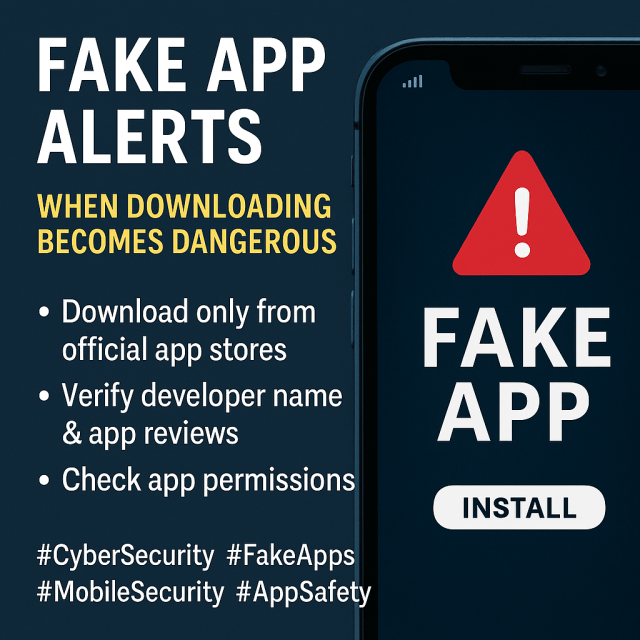
Knowing this helps explain why the permissions check matters so much. A fake weather app asking for camera access isn’t a random oversight it’s very possibly there for a specific, deliberate reason, and that reason is rarely a good one.
If you’ve Already Installed Something You’re Not Sure About
If you’re reading this because you’ve already installed an app and now have a nagging feeling about it, the fix is usually straightforward rather than dramatic.
Uninstall it. That alone removes most of the ongoing risk for apps that were simply harvesting data through normal permission use rather than anything more deeply embedded. After uninstalling, it’s worth changing the password for any account you may have logged into through that app, and enabling two-factor authentication on those accounts if you haven’t already, particularly for anything financial. If the app had access to your contacts, a heads-up to close contacts that you may have been the source of any follow-up spam or phishing they receive isn’t a bad idea, since fake apps sometimes use harvested contact lists to send further scam messages that appear to come from you.
For anything more serious a banking or crypto app where you may have actually entered real login credentials into a fake login screen treat it the same way you’d treat any other credential compromise: change that password immediately, from a different device if possible, and contact the actual institution directly through their known, verified contact channels rather than anything provided inside the app itself.
A Quick Mental Checklist Before You Tap Install
None of this requires new software or technical expertise it’s mostly about slowing down for the fifteen seconds it takes to actually look at what you’re installing, instead of pattern-matching on the icon and the name and assuming that’s enough.
Tap the developer name and see if their other apps make sense together. A believable publisher history is hard to fake and easy to check.
Scan the reviews for suspicious uniformity, and watch for a sudden cluster of one-star reviews on an app that used to be well regarded. Either pattern is worth reading into before you install.

Check whether the install count matches expectations for a well-known app, but don’t treat a high number alone as proof of safety, since installs can be bought too.
Glance at the permissions list before installing, and ask whether they actually match what the app claims to do. This is usually the clearest tell of all, and both iOS and Android give you a way to see this before you commit.
Read the description with a bit of skepticism keyword stuffing and vague superlatives without specific claims are both worth noticing.
For anything beyond the biggest, obviously legitimate apps, stick to the official app stores rather than side loading or downloading APKs from outside links, and do a quick web search of the app’s name if something feels off.
The Bigger Picture
The apps that fool people aren’t usually clumsy. The scammers who bother building a convincing fake put real effort into the icon, the description, and the initial wave of reviews, because that’s what gets past a fast glance. What they can’t as easily fake is a coherent developer history, a natural-looking review pattern over time, and a permissions list that actually lines up with what the app is supposed to do. Those are the places worth spending your fifteen seconds before you tap install not because the app stores are doing a bad job, but because the gap they leave open is exactly where these things get through.
It’s also worth remembering that this isn’t a one-time skill you learn and then forget about. The specific tricks change a new impersonation angle here, a cleverer keyword-stuffing pattern there but the underlying shape of the problem stays remarkably consistent: something is trying to borrow trust it hasn’t earned, and the tells are almost always sitting somewhere just outside the parts of the listing designed to catch your eye first. Once you know to look past the icon and the star rating, the rest tends to give itself away fairly quickly.