That moment when your password suddenly stops working, or a friend texts asking why you’re suddenly pitching crypto in their DMs, is genuinely unsettling. Your first instinct is probably to panic-refresh the login page a dozen times. Don’t. What actually matters right now is moving through the recovery process in the right order, because doing things out of sequence or wasting the first hour trying to “figure out what happened” is one of the most common reasons people end up locked out for weeks instead of hours.
The good news is that account takeovers are recoverable in the overwhelming majority of cases. The process has gotten more involved over the last couple of years, mostly because platforms tightened things up in response to scammers exploiting the old, looser recovery flows. That means more identity verification, sometimes a video selfie, and occasionally a wait of days instead of minutes. But it also means the process is more reliable than it used to be, once you know how to work with it instead of against it.
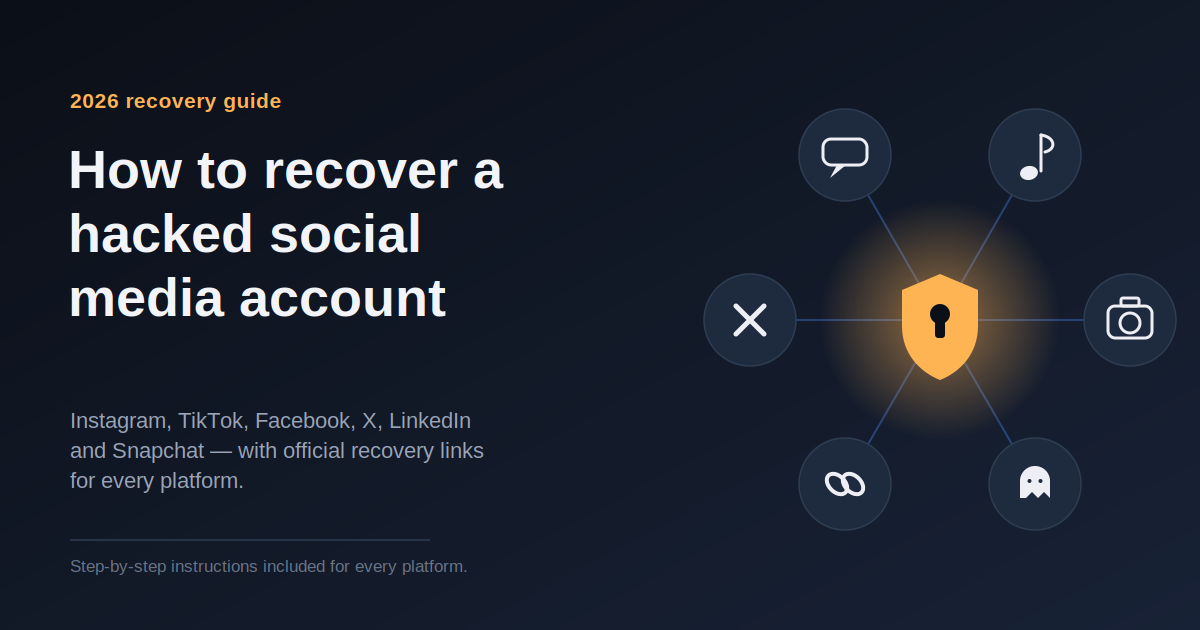
This guide walks through everything: how to tell what kind of hack you’re dealing with, exactly what to do in the first hour, the practical step-by-step recovery process for Instagram, Facebook, X, TikTok, and a few others, what to do once you’re back in, and how to keep it from happening again.

Step 1: Figure Out Exactly What Kind of Hack You’re Dealing With
Not every hacked account looks the same, and the situation you’re in determines which door you walk through first.
Scenario one: you can still log in, but something’s clearly wrong. Maybe there are posts you didn’t make, DMs sent to your contacts that you never wrote, or a sudden batch of new followers you don’t recognize. This is the easiest situation by far, because you still hold the keys. The mistake here is treating it as a minor annoyance and putting off action every minute the attacker has parallel access is another minute they can use to dig through your saved messages, download your contact list, or change your recovery settings behind your back.
Scenario two: you’re locked out because your password no longer works. This is the classic takeover. Somebody got your password usually through a phishing page, a leaked password from an unrelated data breach, or a fake “your account will be suspended” email and changed it before you noticed. This is still a relatively straightforward recovery case as long as your email and phone number are untouched.
Scenario three: you’re locked out, and the email or phone number on file has also been changed. This is the harder version. The attacker didn’t just steal your password; they took over the very channels the platform would normally use to verify it’s really you. In this case, expect the recovery process to route you toward identity verification usually a government ID, sometimes combined with a short selfie video to confirm you match the photo.
Scenario four: the account isn’t just hacked, it’s been disabled. This one catches people off guard. Hackers frequently use a freshly stolen account to blast out spam, scam links, or impersonation content immediately, and that trips the platform’s automated abuse detection. So you come back expecting a hacked account and instead find a suspended one for violations you didn’t commit. One Instagram-focused recovery service estimated that around 70% of the hacked accounts they see end up disabled for exactly this reason. Worth treating that as one company’s internal figure rather than an official platform statistic, but it lines up with the pattern described across most recovery guides: get hacked, get flagged, get suspended, all within an hour or two.
Knowing which of these four situations you’re in tells you roughly how long recovery will take and which form you actually need to fill out first, instead of bouncing around help center pages hoping to stumble onto the right one.
Step 2: What to Do in the First Hour, No Matter the Platform
Before you touch any platform-specific recovery form, there are four things worth doing immediately.
Secure the email account linked to the hacked profile. This is the step people skip because it feels like a detour from the “real” problem, but it’s arguably the most important thing on this entire list. Every major platform’s recovery process runs through email or phone verification at some point. If your email is compromised too which happens more often than people expect, since passwords get reused between email and social accounts the hacker can simply reset your social media account again the moment you get it back. Go change your email password right now, turn on two-factor authentication there if it isn’t already active, and scan your settings for anything odd, like a forwarding rule quietly sending copies of your incoming mail somewhere else. This takes five minutes and it protects every recovery step you’re about to take.
Start the recovery process before you investigate. The instinct to figure out exactly how this happened before doing anything else is understandable, but it costs you time you don’t have. Every hour the attacker controls the account is another hour they can spend messaging your contacts, digging through years of private conversations for personal information, or quietly changing account recovery settings to make your job harder. Start the official recovery flow immediately, and do the forensic work checking old emails for phishing links, reviewing what password you might have reused afterward.
Warn the people who might hear from “you.” This part is easy to forget when you’re focused on your own access, but it matters. Hacked accounts are frequently used within the first hour to message friends, family, or followers with fake emergencies, requests for money, or investment scams dressed up as a personal recommendation. A quick heads-up through a different channel a text message, a different app, a phone call can stop someone close to you from getting scammed while you’re still locked out yourself.
Be deeply suspicious of anyone offering to “fix it fast.” This deserves its own callout because it’s such a widespread secondary scam. Recovery scams targeting people who’ve just lost access to an account have grown steadily, and fraudsters specifically exploit the fact that there’s no direct phone support line for someone locked out of a personal social media account. If someone reaches out through a comment, a DM, or an email claiming they can restore your account instantly for a fee, or asking you to send them your login details “to help,” it’s a scam every time. No legitimate platform charges money for account recovery, and no third party can push your case through faster than the platform’s own internal review.
Once those four things are handled, you’re ready to work through the platform-specific process.
Recovering a Hacked Instagram Account: The Practical Steps
Instagram has become one of the most heavily targeted platforms for account takeovers one industry estimate puts it at roughly 31% of all social media hacks, the highest share of any single platform. Meta has responded by building a more structured recovery flow specifically for compromised accounts, which is good news in the sense that there’s now a clear path, but it does mean more steps to work through if your situation is complicated.
Step 1: Go directly to instagram.com/hacked. Don’t bother hunting through the app’s general help menu this dedicated page is built specifically for takeovers and is faster than any other route in. Enter your username, the email address on the account, or your phone number.
Step 2: Request a login link or security code. Instagram will offer to send a code or link to whichever contact method you still control email or SMS. If you’re lucky enough to still have access to either, this can resolve the whole situation in under five minutes.
Step 3: If that fails, tap “Get more help,” then “My account was hacked.” This exact path, found on the login screen, is designed specifically for compromised accounts rather than simple forgotten passwords, and it opens up additional recovery routes, including identity verification, that the standard password reset flow doesn’t offer.
Step 4: Try requesting a login link even if you suspect the attacker already changed your details. This sounds like a waste of time, but it genuinely isn’t. Changes to account contact information sometimes take a day or so to fully propagate through Instagram’s backend systems, so a login link sent to your original email occasionally still works in that narrow window right after a takeover. It costs nothing to try.
Step 5: Complete identity verification if you’re prompted. If the attacker changed both your email and phone number, Instagram’s automated flow alone won’t be able to confirm it’s really you, so you’ll likely be asked for a selfie video, a photo ID, or both. This is a legitimate and necessary step, even though it feels strange to hand a video of your face to an app. Make sure your lighting is good, your face is clearly visible, and everything matches your ID exactly a blurry submission or a mismatch between your ID photo and your selfie is one of the most common reasons these requests get bounced back, forcing you to redo the whole thing and lose several more days.
Step 6: If you’re still stuck, use the support request form for people without access to their original email or phone. This is the slowest path through Instagram’s system, reserved for cases where every automated option has been exhausted. Fill it out completely and provide as much detail as you can about your account’s history approximate creation date, usernames you’ve used before, previous linked email addresses since a thin submission is more likely to get delayed for additional review.
One detail worth flagging specifically: if you ever receive a “your email was changed” notification with a link that says something like “this wasn’t me” or “secure your account,” click it immediately, even if it arrives at 3am. That single reversal link is often the fastest possible way back into a hacked account, because it lets you undo the change before the new password fully locks you out of your original recovery options.
And once you’re back in: don’t stop at changing your Instagram password. If your account is linked to Facebook, secure that account too Meta accounts are frequently connected, and an attacker with access to one can sometimes hop to the other.
Recovering a Hacked Facebook Account: The Practical Steps
Facebook’s process shares a lot of DNA with Instagram’s, unsurprisingly, but has its own dedicated recovery page and a few extra options worth knowing about.
Step 1: Go to facebook.com/hacked, and if you can, do it from a device and network you’ve logged in from before. This matters more than people realize. If Facebook recognizes the device and your home Wi-Fi as ones you’ve used previously, it can sometimes skip additional verification steps entirely and let you reset your password on the spot.
Step 2: Click “My account is compromised” and enter your identifying information. Your email, phone number, full name, or username will let Facebook locate the account in question.
Step 3: Confirm the account belongs to you using the masked contact detail Facebook shows you. You’ll see a partially hidden version of whatever email or phone number is currently on file. If it’s something you don’t recognize, that confirms the attacker already changed it, which tells you which branch of the recovery process you need next.
Step 4: Request a code through whatever contact method you still control, then reset your password and log out of every other active session. This last part matters more than it sounds. Simply changing your password doesn’t automatically kick out every device that’s currently logged in there’s usually a separate option to end all other sessions, and skipping it can leave the attacker with a live connection even after you’ve locked them out on paper.
Step 5: If you’ve lost access to both your original email and phone, click “No longer have access to these” and follow that branch. You’ll be asked to provide a new contact method Facebook can use going forward. If it’s an older account, you may be prompted to answer a security question you set up years ago. Newer accounts can lean on Facebook’s Trusted Contacts feature instead a group of three to five friends you designate in advance, who can each send you a piece of a recovery code if you ever lose access. If you never set this up, it won’t be available to you now, which is exactly why it’s worth adding the moment you’re back in, before you need it a second time.
Step 6: Expect identity verification if the automated options run out. In practice, this increasingly means a short video selfie rather than just a photo ID upload. Timelines here vary widely anywhere from a few hours to several weeks depending heavily on how much of your original contact information the attacker managed to change before you noticed. If they changed both your email and phone, be prepared for the process to take longer, and understand that repeatedly emailing Meta for updates generally doesn’t speed anything up, since there isn’t a person reading those follow-up messages the way there might be with a smaller company’s support inbox.
While you’re waiting on recovery, warn your friends list directly, especially anyone you regularly talk to about money. Hacked Facebook accounts are frequently used within the first hour to send messages pretending to be stuck somewhere and in urgent need of cash, or phishing links disguised as a video a friend “sent you.” A quick message through a different channel can prevent real financial damage while your own recovery is still in progress.
Recovering a Hacked X (Twitter) Account: The Practical Steps
X’s process leans more on a support form than Instagram’s or Facebook’s more automated flows, but the underlying logic is identical.
If you can still log in: go into your account settings and change your password immediately, choosing something strong and unique that you’ve never used anywhere else. Then find the option to log out of all other active sessions, and separately check the list of connected third-party apps revoke access for anything you don’t actively use or recognize. This last step catches more takeovers than people expect, since a compromised or malicious third-party app can quietly retain access even after your password changes.
If you’re locked out entirely: start at help.x.com, navigate to Account Access, then “Hacked or compromised account,” and select “I think my account has been compromised.” This routes you into a dedicated form that first asks whether you can still log in at all. If you can’t, it funnels you toward a support request where you’ll need to provide your username, the email associated with the account even if it’s since been changed by the attacker, and the last date you remember having access yourself.
Secure your email before anything else, even before submitting the X form. X’s entire recovery process depends on email access working correctly. If a hacker still controls your email, they can simply reset your X password again the moment you recover it, putting you right back where you started. Change your email password and enable two-factor authentication there first.
Watch closely for fake “X Support” messages arriving while you’re mid-recovery. This is worth calling out specifically because it’s such a persistent and well-organized scam on this particular platform. Scammers impersonate X’s support team, verified-account review teams, copyright enforcement notices, and security alerts, all designed to catch people during exactly the moment they’re most anxious and least likely to think critically right after being hacked and while waiting on a recovery decision. If a DM or email like this shows up, don’t click anything inside it. Instead, open the X app or website directly and check your account settings and notifications from there.
Recovering a Hacked TikTok Account: The Practical Steps
TikTok’s recovery flow relies more heavily on manual support review than the largely automated processes at Meta or X, which means it tends to move slower, but the individual steps are simple.
Step 1: Open the app, tap Log In, and select the option to use your phone number, email, or username. Enter your username, then tap Forgot Password, and choose to receive a reset code either by SMS or email, depending on which one you still control.
Step 2: If you originally created your account through a linked service, try that instead. If you signed up years ago using your Google, Facebook, or Apple account rather than a standalone email and password, you might still be able to log straight back in through that linked service, completely bypassing the standard password reset flow.
Step 3: If neither of those works, go to TikTok’s Support page and select Account Recovery. You’ll be asked to provide your username along with as much supporting detail as you can gather the approximate date you created the account, any email or phone number you remember using at signup, and a clear description of what happened. Submissions with more detail tend to move through TikTok’s manual review faster, since the reviewer has more to work with when confirming you’re the legitimate owner.
Step 4: Be ready to submit identification if asked. TikTok may request documentation that matches the details already associated with the account before restoring access, particularly if the account has any public following or business use tied to it.
Step 5: Once you’re back in, check your login activity for sessions you don’t recognize and disconnect any third-party apps you’re not actively using.
Because this process leans on human review rather than an automated flow, give it a realistic few days before assuming it’s stalled. If you haven’t heard anything after that, it’s reasonable to resubmit through the support form rather than wait indefinitely, but resubmitting immediately after your first attempt usually just puts you at the back of the same queue.
A Note on LinkedIn and Snapchat, Since They Come Up Often Too
The four platforms above cover the bulk of hacked-account cases, but LinkedIn and Snapchat deserve a quick mention since they follow a similar underlying pattern.
For LinkedIn, go to the login page and select “Forgot password,” which sends a reset link to your associated email. If that email is also compromised or inaccessible, LinkedIn has a support contact form specifically for reporting a hacked account, where you’ll need to provide your profile URL if you remember it, your full name as it appears on the account, and any other identifying detail available. LinkedIn tends to move more slowly than the platforms above, since it also weighs professional reputation and connection history when verifying ownership, so patience matters here too.
For Snapchat, the fastest path is the in-app “Forgot Password” option through your registered phone number, since Snapchat leans heavily on phone verification over email. If the attacker changed the phone number on file, Snapchat’s support site has a dedicated “my account was hacked” form that walks you through identity confirmation, often including your Snapcode or username history.
What to Do the Moment You’re Back In
Regaining access is genuinely only half the job. Stopping there is one of the most common reasons people find themselves right back in this exact situation a few months later.
Change every password that’s reused elsewhere, not just the one on the hacked account. If a leaked or guessed password is what let the attacker in, and that same password protects your email, your banking app, or your online shopping accounts, all of those are equally exposed right now. This is worth doing today, not this weekend.
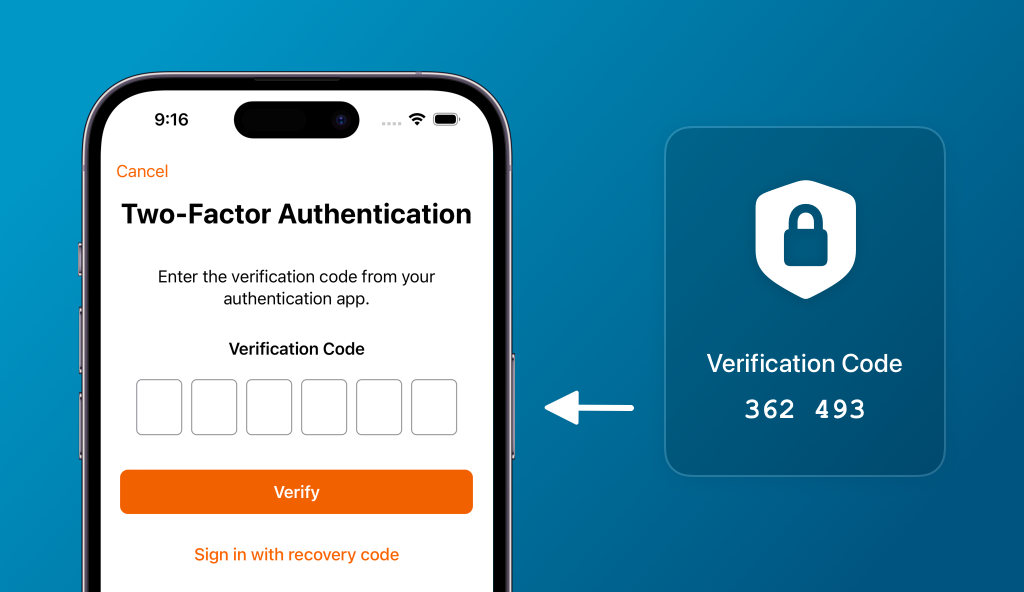
Turn on two-factor authentication, and lean toward an authenticator app rather than SMS wherever the platform allows it. Text message codes can be intercepted through SIM-swapping, a technique where an attacker convinces your mobile carrier to transfer your phone number to a device they control. An authenticator app like Google Authenticator or Authy, or a physical security key, isn’t vulnerable to that particular attack, since the code is generated locally on your device rather than sent over the cellular network.
Go through the list of connected third-party apps and remove anything unfamiliar. This is the step people skip most often, and it’s a genuinely common reason accounts get compromised a second time shortly after recovery. A malicious or compromised third-party app can retain access to post, message, or read your data even after your main password has been reset, simply because nobody thought to check the permissions list.
Review your account’s recent login activity. Most platforms show you a list of recent sign-ins by location and device type. If something unfamiliar shows up, manually end that session your password reset should have already done this, but it’s worth confirming rather than assuming.
Check for anything the attacker left behind. This includes phishing links quietly added to your bio or website field, scam messages sitting in your sent folder that were never actually sent by you, a changed profile photo, or altered privacy settings that suddenly expose more of your information publicly than you intended.
Set up your account recovery options now, before you need them a second time. Add a backup email address, confirm your phone number is current, and where the platform offers it like Facebook’s Trusted Contacts set that up too. This single step is what turns a future hack from a multi-day ordeal back into something you resolve in five minutes, because the entire reason recovery takes so long in the first place is usually that the attacker beat you to changing the very details the platform would otherwise use to confirm it’s really you.
Why This Keeps Happening, and What Actually Stops It
Understanding the mechanics behind most of these hacks makes the prevention advice a lot more concrete than the usual “use a strong password” line.
The single most common method is credential stuffing, where attackers take passwords leaked from breaches on completely unrelated websites a forum you signed up for a decade ago, an old shopping account, whatever and simply try them against your social media login, betting that you reused the same password. This is exactly why a breach you barely remember can end up being the reason your Instagram gets taken over today, years later. It’s not that the attacker specifically targeted you; it’s that your password showed up on a list, and automated tools tried it against thousands of accounts at once, including yours.
Phishing is the other major route in, and it’s gotten noticeably more convincing over the past couple of years. Fake login pages that look identical to the real thing, fake “your account will be suspended in 24 hours” emails, and fake support messages sent right when you’re already anxious about your account’s security all of it is designed around one core trick: manufacturing urgency so you act before you think. That’s exactly why the X support impersonation scams mentioned earlier are so effective; they specifically target people during account recovery, a moment when you’re already stressed and more inclined to click something that promises to fix the problem faster.
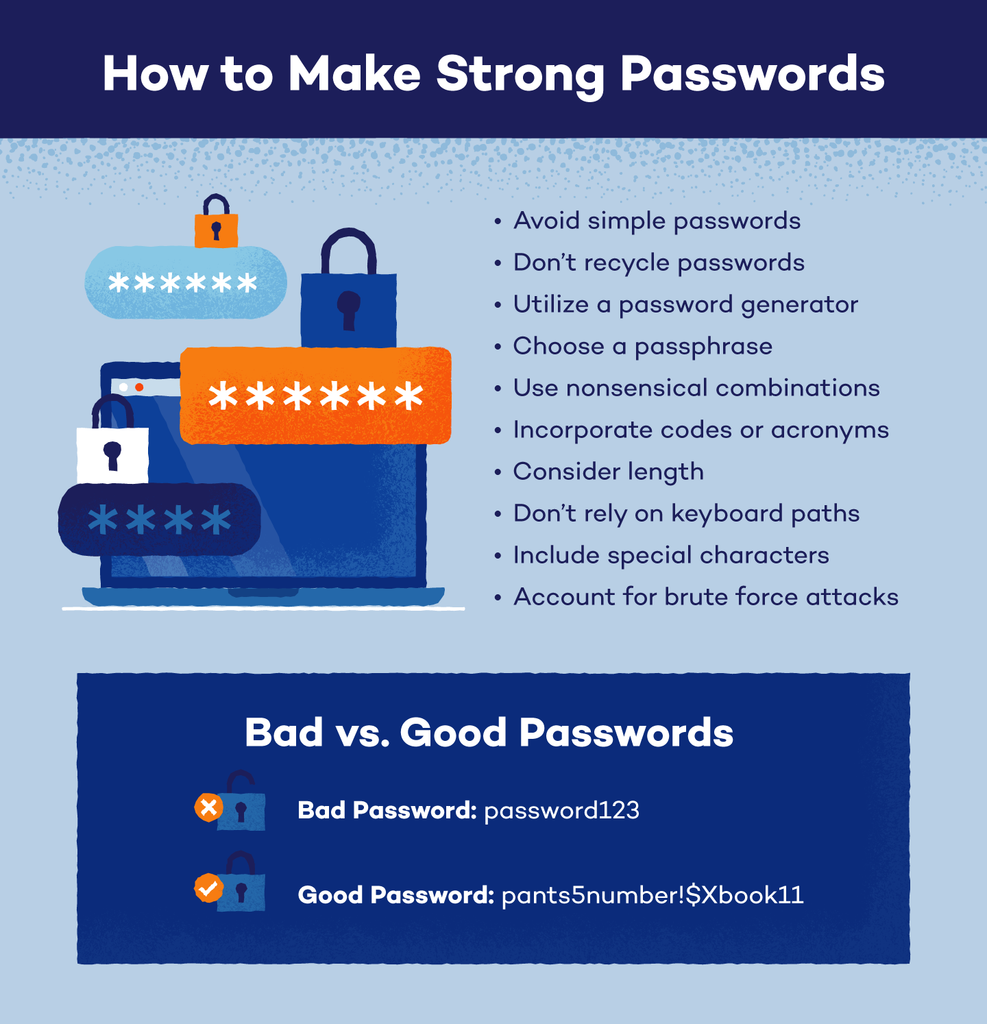
Given that, the actual prevention checklist is short, even if it’s easy to put off:
Use a password manager so every single account has a unique, randomly generated password, meaning a breach on one site can never put another account at risk. Turn on two-factor authentication everywhere it’s offered, prioritizing an authenticator app over a text message code. Treat urgency as a red flag rather than a reason to act fast anything demanding you “verify immediately or lose access” deserves a slower, more skeptical look, not a faster click. And periodically check which third-party apps and websites have standing access to your major accounts, since permissions granted years ago for an app you stopped using are exactly the kind of quiet, forgotten entry point attackers rely on.
A Realistic Timeline, So You Know What to Expect
It helps to know going in that recovery timelines vary a lot, and that variation isn’t random.
If you still control your original email or phone number, recovery genuinely can happen in a matter of minutes you request a code, you get it, you’re back in. If the attacker changed those contact details before you noticed and you get routed into identity verification, expect the process to take anywhere from a single day up to a couple of weeks, depending on the platform’s current review queue and how clean and complete your submitted documentation is on the first try. TikTok and Facebook’s more manual, support-driven paths tend to move slower than Instagram’s largely automated hacked-account flow, with X’s form-based process typically landing somewhere in the middle.
The waiting itself is frustrating, especially when your account is sitting there potentially still being misused. But it’s not a sign that something’s gone wrong with your case it’s the platform actually doing the job it’s supposed to do, making sure the next person who shows up claiming to be you isn’t the same attacker trying a different angle. Filling out every field completely, submitting clear and matching documentation the first time, and following up only through official channels remains the fastest way through the process, even on the days it doesn’t feel fast at all.
- Instagram — My Account Was Hacked
- Facebook — My Account Is Compromised
- X (Twitter) — Hacked or Compromised Account Form
- TikTok — Help Center (search “hacked account”)
- LinkedIn — Help Center (search “hacked account”)
- Snapchat — Support (search “my account was hacked”)