Public Wi-Fi Isn’t as Dangerous as You Think But This Still Is
You’ve read the warnings. Never check your bank account at the airport. Never log into anything on coffee shop wifi. Always use a VPN or hackers will steal your identity before your latte gets cold.
Here’s the thing: most of that advice is stuck in 2014.
Public wifi used to be a genuine minefield. Back then, huge chunks of the internet still ran on plain HTTP, meaning your data travelled across the network with no encryption at all. Anyone with a laptop and a free tool called Firesheep could sit in a coffee shop and hijack your Facebook session in about the time it took to order a coffee. Firesheep didn’t even require much technical skill to use it was a browser extension that scanned the network, spotted unencrypted session cookies floating by, and let you click your way into someone else’s logged-in account. That wasn’t theoretical. It was embarrassingly easy, and it’s a big part of why “public wifi is dangerous” became such a deeply held piece of internet folklore.
But the internet changed a lot since then, and most of the writing on this topic hasn’t caught up. You’ll still find articles from 2026 recycling warnings that made sense a decade ago, as if nothing in web security has moved since. It has. Quite a bit, actually.
The Old Threat Is Mostly Gone
HTTPS is essentially universal now. Your browser flags sites that don’t use it, major platforms auto-redirect any HTTP request to HTTPS, and banking apps go a step further with certificate pinning a technique that means even if someone did intercept your connection, they’d hit an encrypted wall before reaching anything readable.
Here’s what that actually looks like in practice. Certificate pinning ties an app to one specific, expected certificate rather than trusting any certificate that claims to be legitimate. So even if an attacker on the same network somehow got their hands on a fake certificate that would fool a browser, your banking app would notice the mismatch and simply refuse to connect. It’s a much narrower door than the one that existed in the Firesheep era, where the entire connection was wide open and nobody needed to fake anything.
The “hacker reads your password over coffee shop wifi” scenario that dominated privacy articles for a decade just isn’t the realistic threat it once was. The plumbing of the internet changed underneath us, largely without most people noticing, because it happened gradually rather than as one dramatic fix. Browsers started shaming unencrypted sites with warning icons. Certificate authorities got cheaper and easier to use, so there was no longer a real excuse for a site to skip HTTPS. And once the big platforms the ones everyone was already using made the switch, encrypted traffic stopped being the exception and became the default.
That’s genuinely good news, and it’s worth saying plainly instead of burying it under another listicle of scary hypotheticals. The baseline safety of browsing on a public network today is meaningfully better than it was ten years ago. If your biggest worry about public wifi is still “someone will read my Gmail password as it flies across the network,” you’re mostly worrying about a problem that’s already been solved by infrastructure you don’t even have to think about.
So does that mean you can stop worrying? Not quite. The risk didn’t vanish it moved.
What’s Actually Still Risky? Fake hotspots or Public WIFI ?
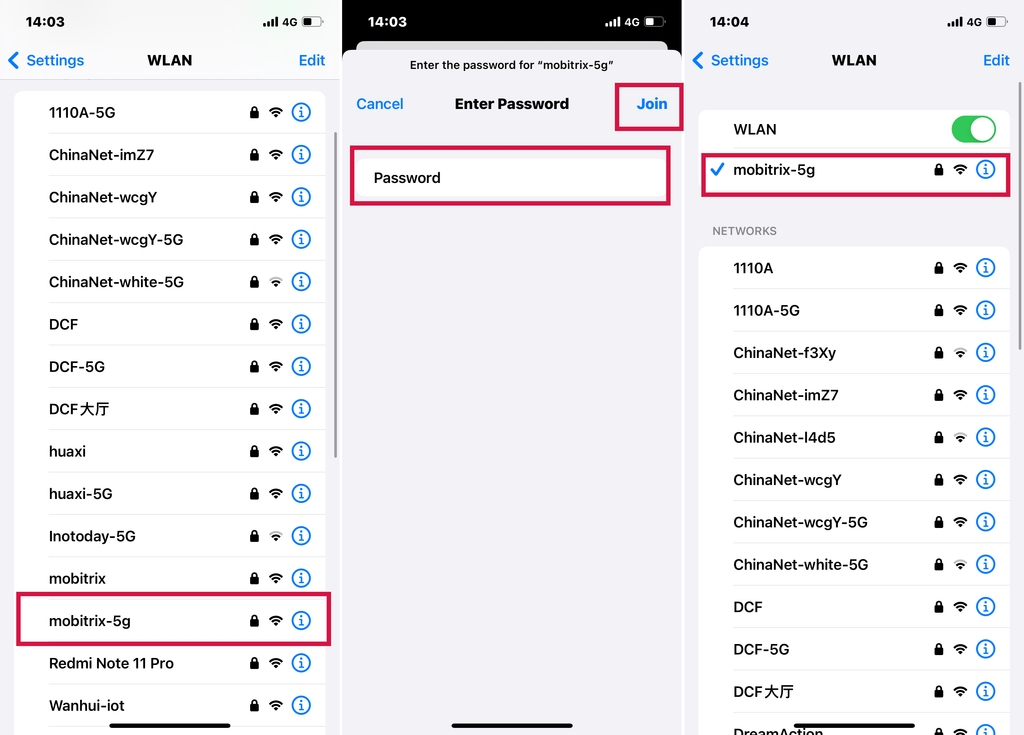
Fake hotspots are the real danger now. Instead of trying to crack encrypted traffic, attackers just skip the hard part and create a network that looks identical to the legitimate one. Same name, sometimes a stronger signal so your phone connects to it automatically instead of the real thing. You think you’ve joined “Airport_WiFi,” but you’ve actually joined someone’s laptop.
This works because of how wifi networks identify themselves. A network name its SSID is just text. There’s no built-in verification that “Starbucks_WiFi” is actually being broadcast by Starbucks. Anyone with a cheap router or even just a laptop can put up a network with that exact name, and most devices have no way of telling the difference at a glance. If the fake one has a stronger signal, or if your phone has connected to a network with that name before in some other city, it may connect automatically without ever asking you.
This isn’t hypothetical. In 2016, security researchers at Avast set up fake wifi networks with names like “Google Starbucks” and “Xfinitywifi” near the Republican National Convention in Cleveland and more than 1,000 attendees connected without realizing it, exposing their email, banking, and dating app activity to whoever was running the network. A separate demonstration in Amsterdam saw an ethical hacker pull personal data logins, search history, travel details off dozens of nearby devices in under 20 minutes, just by naming his hotspot “Starbucks.” Neither required any special skill. The vulnerability isn’t in the encryption it’s in how easily we connect to a name we recognize without checking whether it’s real.
And that habit, of devices and people alike defaulting to a familiar name, hasn’t gone anywhere in the years since. If anything, evil twin attacks the technical name for this kind of impersonation have only gotten easier to pull off as the tools involved became cheaper and more accessible. What used to require somewhat specialized hardware can now be done with equipment that costs less than a decent pair of headphones, and the software to run it is documented well enough online that the barrier to entry keeps dropping.
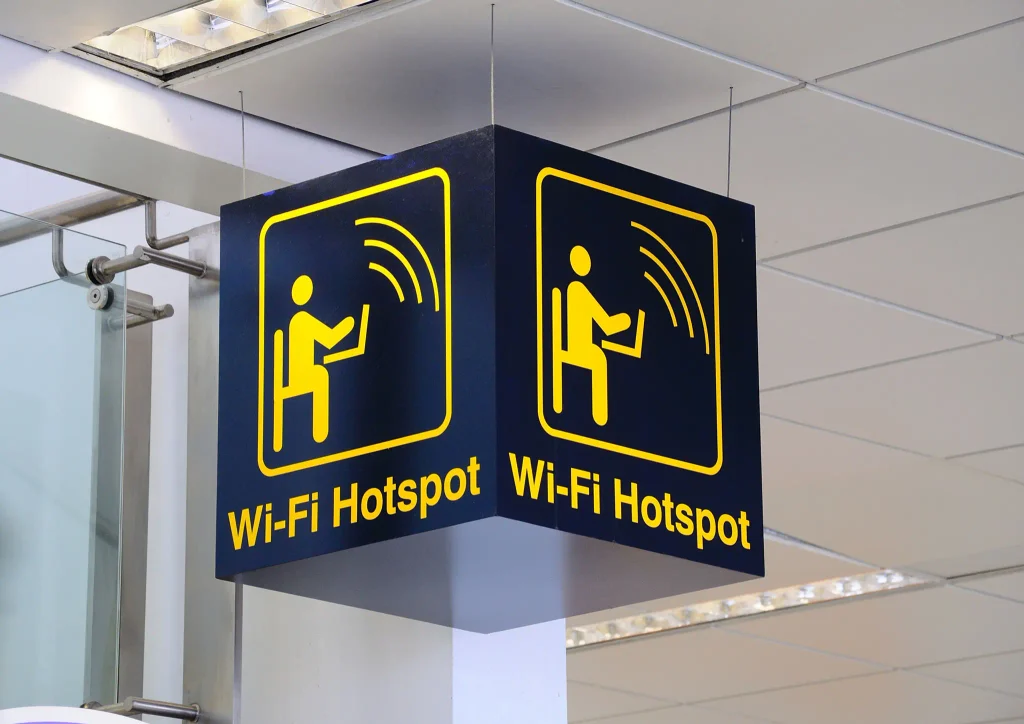
The login page itself can be a weak spot. Ever notice that captive portal you fill out to get wifi access at a hotel or airport the one where you type your room number or email and click “Connect”? That page frequently runs over plain HTTP, before you’ve been granted full network access. There’s a practical reason for this: your device hasn’t been authenticated onto the network yet, so it can’t necessarily reach the HTTPS infrastructure it would normally use, which means the portal often has to fall back to something simpler and less secure just to get you connected in the first place.
If the network itself has been compromised, whatever you type in at that stage can potentially be intercepted, even though the rest of your browsing afterward is encrypted. It’s a strange inversion of what most people expect the moment you’d assume is the safest part (just typing your room number to get online) is actually the part running on the weakest protection, while your actual browsing afterward is comparatively locked down.
Your activity can still be observed, even if your data can’t be read. This is probably the most honest way to describe the current threat model. In 2010, the risk was someone reading your content your messages, your passwords, the actual substance of what you were doing online. Now, encryption handles that part reasonably well. What’s left is metadata who you’re connecting to, how often, when, and for how long.
Metadata sounds abstract until you think about what it actually reveals. Someone watching network traffic on an unencrypted or compromised connection might not be able to read the contents of your messages, but they can often see that you’re connecting to a particular messaging app, at a particular time, for a particular duration, and how frequently you do it. Stack enough of those observations together and you get a fairly detailed picture of someone’s habits, relationships, and movements, without ever needing to see a single word they typed.
That’s a much less dramatic risk to write headlines about, which is probably why it gets skipped over in most public wifi articles. It doesn’t have the same visceral appeal as “hacker steals your bank password.” But if you’re a journalist, an activist, or just someone who values not being tracked, it’s the piece that actually matters. It’s also the piece that no amount of HTTPS adoption really fixes, because encrypting the content of a connection doesn’t hide the fact that the connection is happening.
And honestly, the biggest risk might just be us. Not the network. Us. The habit of tapping “Accept,” “Allow,” or “Connect” on a prompt without reading it, because we’ve done it a thousand times before and it’s never gone wrong. Familiarity breeds autopilot, and autopilot is exactly what fake hotspots and shady permission requests are designed to exploit. Every warning dialog your phone or laptop has ever shown you about joining an unsecured network has trained you, through sheer repetition, to dismiss it as noise. That training is precisely what an attacker is counting on.
There’s something almost funny about this if you step back far enough. The security industry spent a decade telling people to be afraid of the network itself, and the network got dramatically safer. Meanwhile the actual weak point human behavior, unchanged by any of that infrastructure never got the same attention, because “be more careful about what you click” doesn’t make for as compelling a headline as “hackers can steal everything you type.”
A Word of Caution About the Rest of the Internet’s Advice
If you go looking for more on this topic, you’ll run into a lot of blog posts usually from VPN companies citing very specific, very dramatic numbers. Multimillion-dollar losses. Precise percentages of “brand trust” dropping after an attack. References to security flaws with official-sounding names that don’t actually check out when you look them up.
Worth being skeptical of those. A lot of this content is written by companies whose entire business model depends on you being scared enough to buy a subscription, and the incentive to exaggerate is baked right in. It’s not that these companies are lying outright, necessarily it’s more that the framing gets stretched. A real but narrow risk gets described in the broadest possible terms, a rare scenario gets presented as common, and a decade-old statistic gets quietly recycled as if it still applies today.
That doesn’t mean public wifi is risk-free it clearly isn’t, as the fake hotspot examples above make clear. But the specific numbers floating around online are often invented dressing on a real but more modest concern. If an article’s core argument seems to rest entirely on one dramatic statistic that you can’t trace back to an actual source, that’s usually a sign the underlying point is being oversold. Genuine security advice tends to hold up without needing a scary number attached to it.
There’s also a pattern worth noticing in how this advice gets repeated. One outlet writes something alarming, a second outlet cites the first without checking the original source, a third cites the second, and within a year you’ve got a “fact” that nobody can actually trace back to real data. It happens constantly in security writing because fear is a reliable way to keep people reading, and nobody wants to be the outlet that says “actually, this is less scary than we thought.”
So What Should You Actually Do?
Nothing complicated, and nothing that requires new software:
Pick the network with a password over the open one, if there’s a choice. A network secured with WPA2 or WPA3 takes real effort to attack. A fully open network lets anyone nearby capture traffic without even connecting to it, since the traffic on an open network isn’t encrypted at the wifi layer the way a password-protected one is.
Verify the network name if you can. Ask an employee what the official wifi is called instead of guessing between three lookalike options on your device’s list. This takes about ten seconds and eliminates the single most common trick used in fake hotspot setups, which relies entirely on you picking the wrong name out of a list without asking.
Turn off auto-connect for public networks. This alone shuts down most evil twin attacks, since they rely on your device latching onto a familiar name without asking you first. Most phones let you forget a network entirely or turn off automatic joining for open networks specifically, and it’s worth spending the two minutes to do this once rather than relying on remembering to check every single time.
Be more careful during the login step than during actual browsing. That captive portal page is the part running over an unencrypted connection, not the rest of your session. If you wouldn’t normally type a password into a page with no lock icon, treat the wifi login page with the same caution, especially if it’s asking for anything more sensitive than a room number or your name.
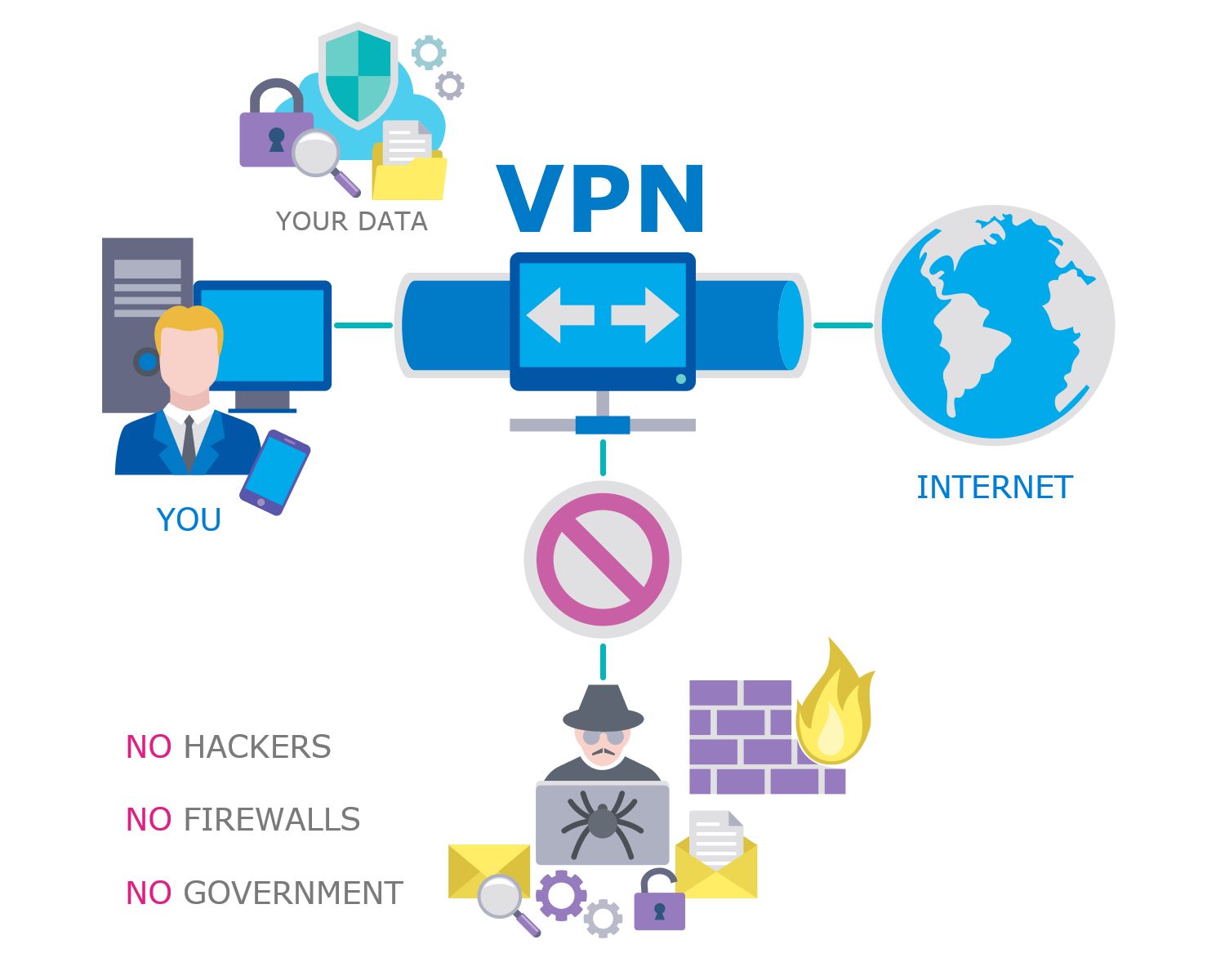
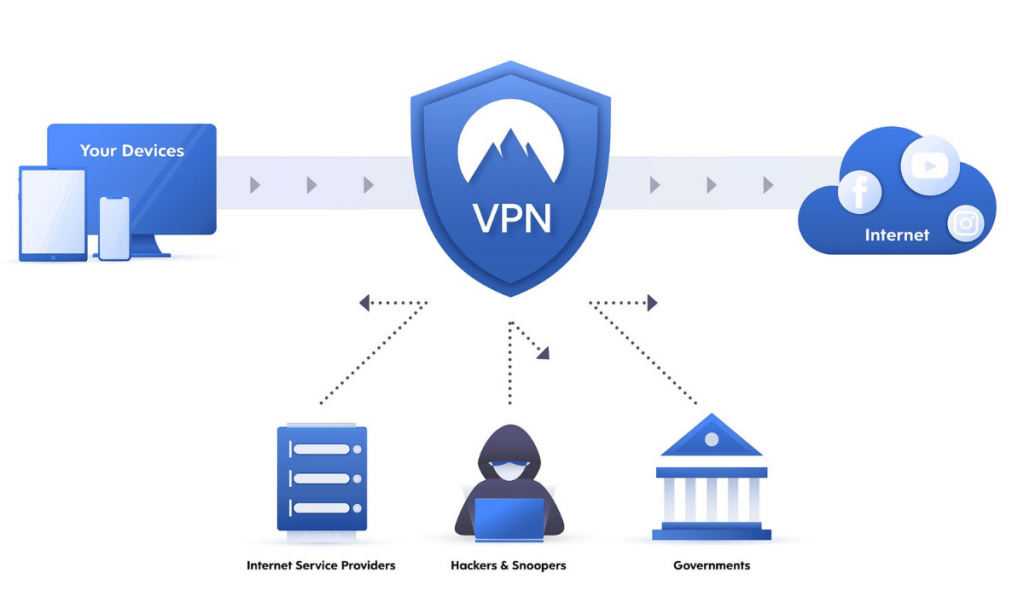
Use a VPN if you’re handling something sensitive company data, a client’s information, anything you’d genuinely mind someone glimpsing metadata about. For scrolling social media or checking the weather, it’s optional, not essential. A VPN doesn’t make you invisible, and it doesn’t fix a fake hotspot that’s already intercepting your traffic before it ever reaches the VPN’s servers, but it does hide the metadata question we talked about earlier: what you’re connecting to, when, and how often.
None of this requires you to become a security expert or to carry around specialized equipment. It’s mostly a matter of shifting a few habits checking a name before connecting, treating the login screen with a bit more suspicion, and not letting your device auto-join things on autopilot. The people who get caught out by fake hotspots aren’t usually careless in some dramatic sense. They’re just doing what everyone does: tapping through prompts they’ve seen a hundred times before, trusting a name that looks familiar.
Public wifi in 2026 isn’t the digital crime scene it’s still described as in most articles, and it’s not something to be paranoid about every time you open your laptop somewhere new. The infrastructure underneath the internet got a lot better since the days when Firesheep could hijack a session with a couple of clicks, and that improvement is real and worth acknowledging rather than glossing over in favor of another round of scare tactics.
But it’s also not nothing. The danger just quietly shifted from “someone’s reading your password” to “someone’s pretending to be the network you think you joined” and that’s a much simpler thing to guard against once you actually know what to look for. You don’t need new software, you don’t need to memorize technical terms, and you definitely don’t need to avoid public wifi altogether. You just need to ask what the network’s actually called before you connect to it, and pay a little more attention at the one point in the process that login screen where the old vulnerabilities are still hanging around, waiting for someone to stop thinking and just click connect.